
Allama Iqbal Open University (AIOU) has issued an official notice regarding the Learning Management System (LMS) credentials for the Spring 2026 semester. This update is designed to ensure that both newly enrolled and continuing students can access their digital learning portals effectively.
The notice outlines the distribution timeline for login credentials and provides clear instructions for students who may have forgotten their access details. It also specifies the commencement period for the upcoming semester’s workshops, ensuring all academic activities remain on schedule.
All students enrolled in the Spring 2026 session are affected by this update. The university aims to streamline the online learning experience by providing a centralized method for password recovery and credential management.
Allama Iqbal Open University LMS ID & Password Update Advertisement Details
| Field | Details |
|---|---|
| Date Posted | May 06, 2026 |
| Announcement Type | LMS ID & Password Update |
| Organization / Department | Allama Iqbal Open University (AIOU) |
| Semester / Program Name | Spring 2026 |
| Applicable For | New and Continuing Students |
| Location | Pakistan / Nationwide |
| Last Date | N/A |
| Official Website | https://amcr.aiou.edu.pk/ |
| Status | Active |
Instructions for New Students
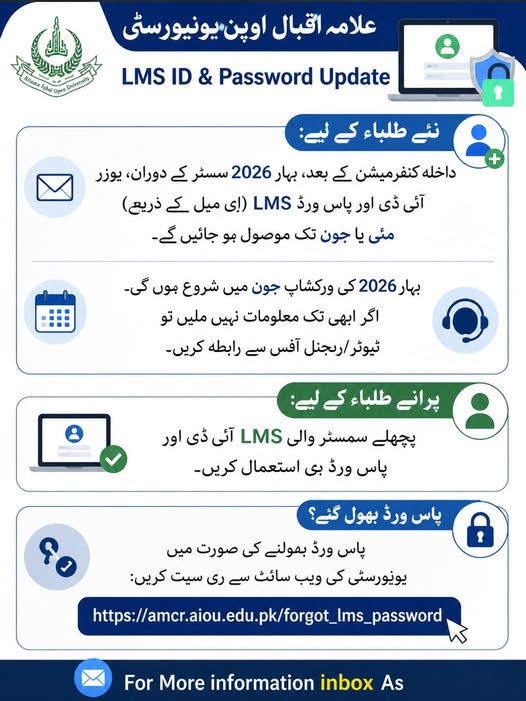
For students who have confirmed their admission for the Spring 2026 semester, the university will issue LMS User IDs and Passwords via email. This process is expected to be completed during the months of May or June.
Instructions for Old / Continuing Students
Students who were enrolled in previous semesters are advised to continue using their existing LMS ID and password. No new credentials will be issued for continuing students unless a password reset is manually requested.
Workshop Schedule Details
The Spring 2026 workshops are scheduled to commence in June. It is essential for students to have their LMS access ready before this period to participate in academic sessions.
Allama Iqbal Open University LMS ID & Password Update Advertisement Download
STEP-BY-STEP PROCESS
How to Handle Missing Info or Forgotten Passwords:
-
If credentials are not received: If you have not received your LMS information by the end of June, contact your assigned tutor or the nearest Regional Office immediately.
-
How to Reset Password: In the event that you forget your LMS password, you can reset it through the official university portal by following the link provided:
[https://amcr.aiou.edu.pk/forgot_lms_password](https://amcr.aiou.edu.pk/forgot_lms_password). -
For Further Queries: Students can contact the university via the “inbox” feature for additional information as indicated in the notice.
OFFICIAL TERMS / IMPORTANT NOTES
-
Admission confirmation is a prerequisite for receiving LMS credentials.
-
LMS IDs and Passwords for new students are sent specifically via the registered email address.
-
Workshops for the Spring 2026 semester will officially start in June.
-
Continuing students must use their previously assigned credentials.
| APPLY ONLINE |
| Follow Us On: | Whatsapp Channel |
| Follow Us On: | YouTube |
| Follow Us On: | Facebook Page |
| Follow Us On: | TikTok |
| Follow Us On: | |
| Follow Us On: | |
| Follow Us On: |